

In recent years, COVID-19 has made the medical term "nucleic acid testing" widely known. Under the "dynamic zero-COVID" policy, nucleic acid testing has gradually become essential for travel. Stimulated by the pandemic, small and medium-sized medical laboratories have mushroomed. Demand for testing equipment in clinical departments and laboratories at all levels of medical institutions has increased, and primary medical facilities have also established gene amplification laboratories.
About LIS System
Routine nucleic acid testing generates a huge volume of medical data. To analyze and process these data efficiently, the application of the Laboratory Information System (LIS) has become particularly important.
As a key part of hospital information management, the LIS system is database‑centric and connects laboratory instruments with computers. It integrates various test data including order information (patient basic information, test items), report information (results), and other information (quality control data). After testing patient samples on instruments, the system reviews and processes the data to generate test reports, which are stored in the hospital database via the internal network. This allows doctors to view results conveniently and promptly, helps improve laboratory management, reduces errors, and enhances testing quality.
Archimed Analyzer + LIS System
To meet users’ needs for connecting to different LIS systems, Rocgene has further improved the integration functions of Archimed Analyzer, the supporting software for its real‑time quantitative PCR system, enabling multiple LIS connection methods.
Support for exporting results in *.csv format
1. Create a new experiment file and complete basic settings such as experiment properties, run conditions, and plate setup.
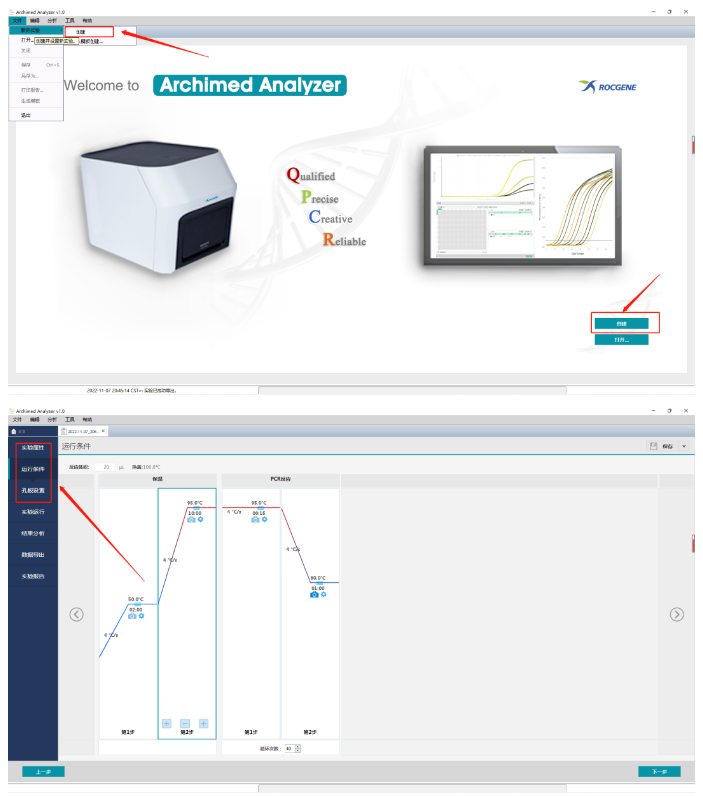
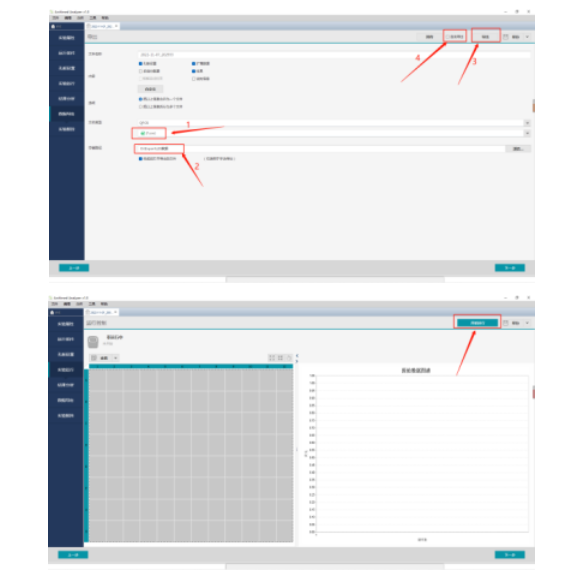
2. On the “Data Export” interface, set the file format to be exported as *.csv.
3. Click the “Browse” button next to the save path to select or create a folder for storing results.
4. Check “Auto Export”, click “Save” to generate an experiment template file (*.qpt). For each subsequent test, open the template, click “Start Run” on the experiment interface, and the *.csv result file will be automatically saved to the specified directory after the run.
If you need to review results before uploading to LIS:
Click “Save” in the upper right corner to generate the template file (*.qpt). Open the template and click “Start Run”. After the experiment, manually click “Export” to upload results.
5. The LIS provider configures the program to retrieve the *.csv file from the specified directory and complete result upload.
Support for exporting results in *.Json array format
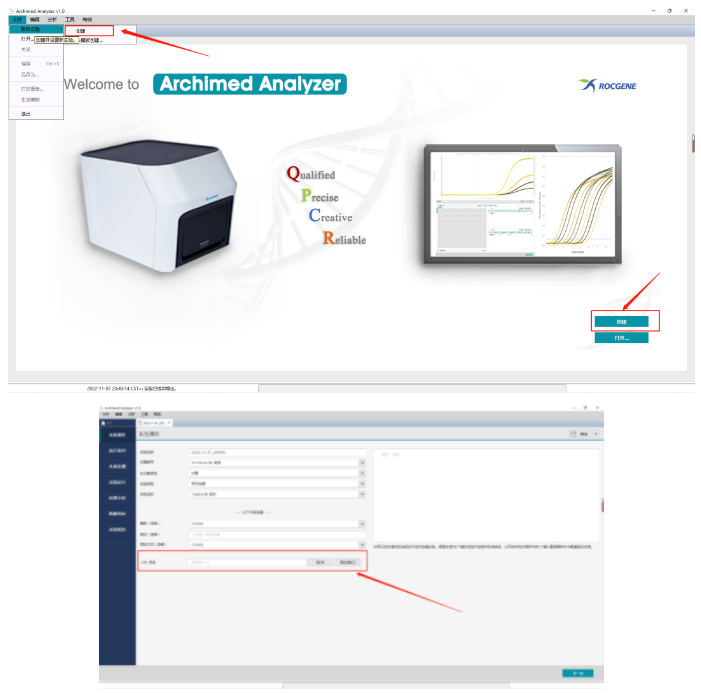
1. Create a new experiment file, set the URL address on the experiment properties interface, and click “Test Interface” to verify successful data transmission.
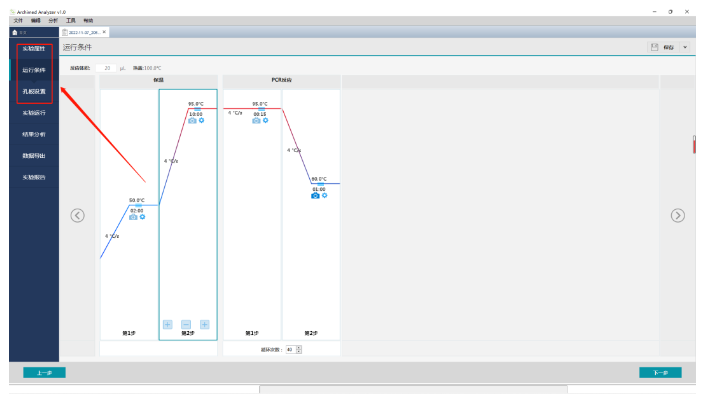
2. Complete basic settings including experiment properties, run conditions, and plate setup. Click “Save” in the upper right corner to generate an experiment template file (*.qpt).
3. For each experiment, open the template and click “Start Run” on the experiment interface, then wait for completion.
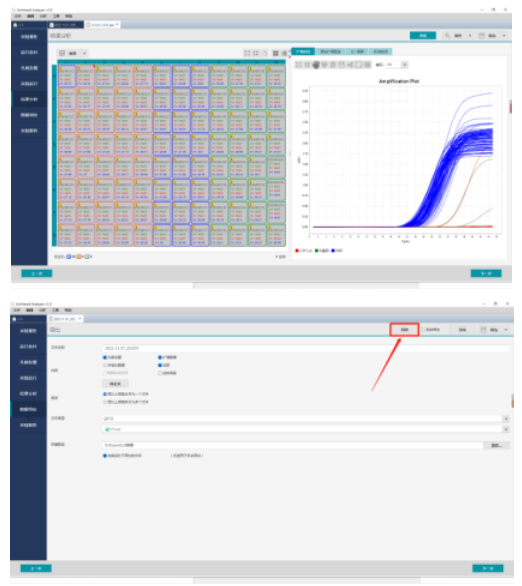
4. After the experiment, you can review data on the results analysis interface. On the “Data Export” page, manually click “Post Back” to upload results to the LIS system.
Guided by the R&D philosophy of focusing on actual customer needs, Rocgene continuously optimizes its products and is committed to providing customers with comprehensive and high‑quality services!
10
23
19
28


 +86-010-86229225
 global@rocgene.com
 CN
CN